LinkedIn Headline Examples That Actually Get Recruiters to Click
Learn how to write a strong LinkedIn headline with practical examples for students, fresh graduates, experienced professionals, managers, freelancers, and job seekers. Discover how to use relevant keywords, highlight your expertise, and create a headline that helps recruiters quickly understand your professional value.
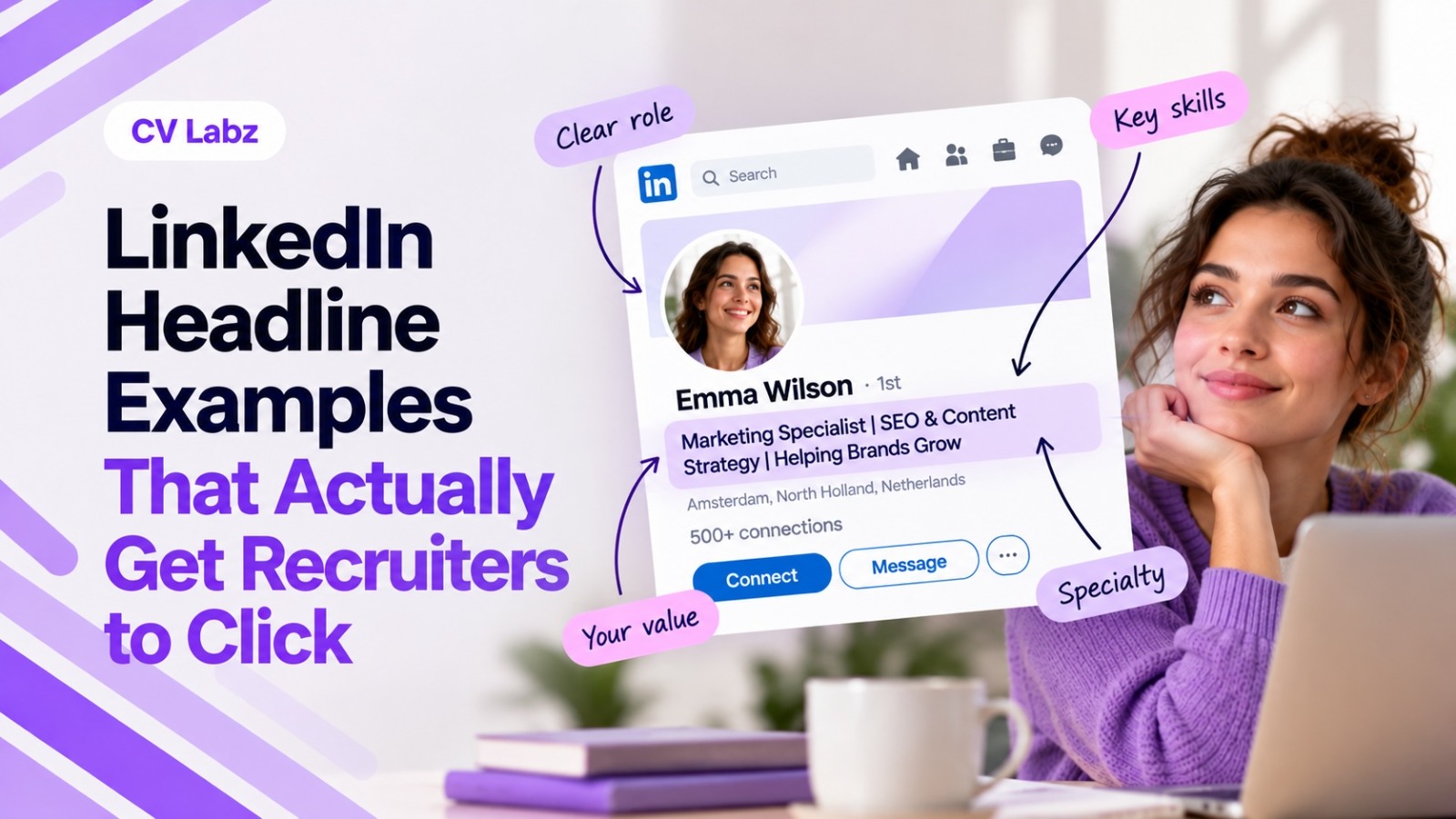
Your LinkedIn headline is one of the first things recruiters see when they come across
your profile. It appears alongside your name in search results and helps them
understand your professional focus before they open your profile.
Yet many professionals use only their current job title. Others fill the headline with vague
phrases such as “Passionate Professional” or “Results-Driven Expert.”A stronger
headline gives recruiters a clearer reason to click.
The best LinkedIn headline examples communicate three things quickly: what you do,
what you specialize in, and the type of value or expertise you bring. The goal isn't to
make your headline sound impressive. It is to make your professional positioning easy
to understand.At CV Labz, our LinkedIn Analyzer helps you review your profile and
identify areas to improve, so you build a stronger professional presence.
What Makes a LinkedIn Headline Work?
Before looking at examples, it helps to understand what makes one headline more
effective than another.
1. It Tells Recruiters What You Do
Start with a clear professional role or area of expertise.
For example:
Digital Marketing Specialist | SEO & Content Strategy
This is more useful than:
Marketing Professional | Passionate About Growth
The first headline immediately tells the recruiter what the person does and where their
expertise lies.
2. It Highlights Relevant Skills
Your headline has limited space, so focus on skills that support your target role.
A software developer might highlight:
Software Engineer | Python | APIs | Cloud Development
A recruiter searching for those skills gets useful information immediately.
You don't need to list every skill you possess. Choose the ones most relevant to the
professional direction you want to build.
3. It Shows Your Professional Value
A strong headline goes beyond your job title by showing the type of value you create.
For example:
B2B Content Strategist | Helping SaaS Brands Turn Complex Ideas Into High-Performing
Content
This tells the reader both what the professional does and who they help.
You don't need a dramatic claim. A specific specialty or outcome is enough to make the
headline more meaningful.
4. It Sounds Like a Professional, Not a Keyword List
Adding relevant terms to your headline is useful, but readability still matters.
Avoid creating a headline like:
Marketing | SEO | PPC | Social Media | Content | Email | Branding | Strategy | Growth
It contains plenty of terms but gives little sense of the person's actual professional
identity.
Instead:
Digital Marketing Manager | SEO, Content & Paid Media | Driving Growth for B2B Brands
The information is still relevant, but the headline reads like a professional introduction
rather than a list of keywords.
A Simple Formula for a Strong LinkedIn Headline
You don't need to copy someone else's headline word for word. A simple structure helps
you build your own.
Target Role | Key Skills | Industry or Specialty | Value
For example:
Product Manager | SaaS & AI Products | User Research & Product Strategy | Building
Customer-Focused Solutions
You don't have to use every element. Depending on your career stage, one part may
deserve more attention than another.
1. For Experienced Professionals
Experienced professionals have enough career history to combine their role with a
specialty or business focus.
Senior Financial Analyst | FP&A & Business Strategy | Helping Businesses Improve
Financial Performance
This gives recruiters more information than simply writing “Senior Financial Analyst.”
2. For Career Changers
Career changers should use their headline to connect their existing skills with their new
direction.
Marketing Specialist Transitioning to UX Design | User Research | Content Strategy |
Customer Experience
The headline makes the intended career direction clear while still acknowledging
relevant existing skills.
3. For Students and Fresh Graduates
Students and graduates don't need to pretend they have years of professional
experience.
Instead, highlight the target role, education, skills, and area of interest.
Computer Science Graduate | Python & SQL | Aspiring Data Analyst | Data Analytics &
Machine Learning
This gives recruiters a clear idea of what the candidate has studied and what type of
opportunity they're seeking.
4. For Job Seekers
If you're actively searching, your headline should still explain your professional value.
Instead of:
Open to Work | Looking for Opportunities
Try:
HR Specialist | Talent Acquisition & Employee Relations | Open to HR Opportunities
The second version tells recruiters what the candidate does before mentioning their job
search.
LinkedIn Headline Examples by Career Stage
Now that you have the basic formula, let's look at LinkedIn headline examples for
different career situations.
1. LinkedIn Headline Examples for Students
Students have an opportunity to use their headline to communicate their career
direction before they have extensive work experience.
Business Student | Digital Marketing & Consumer Behavior | Aspiring Marketing
Specialist
Computer Science Student | Python, Java & Machine Learning | Software Development
Finance Student | Financial Analysis & Excel | Aspiring Financial Analyst
The key is specificity. Your degree alone tells recruiters what you're studying. Adding
your target area tells them where you're heading.
2. LinkedIn Headline Examples for Fresh Graduates
Graduates combine their education with practical skills, certifications, projects, or their
target role.
Recent Computer Science Graduate | Python & SQL | Aspiring Software Developer
Business Graduate | SEO, Content & Social Media | Digital Marketing Professional
Finance Graduate | Financial Modeling & Excel | Junior Financial Analyst
If you have completed relevant projects or certifications, your headline reflects that
expertise without overstating your experience.
3. LinkedIn Headline Examples for Experienced Professionals
Experienced professionals should use their headline to communicate their current
expertise rather than simply repeating their job title.
SEO Manager | Technical SEO & Content Strategy | Growing Organic Visibility for SaaS
Brands
Sales Manager | B2B SaaS | Enterprise Sales & Account Growth
Operations Manager | Process Improvement & Team Leadership | Scaling Efficient
Operations
These headlines give recruiters more context about the professional's area of expertise.
4. LinkedIn Headline Examples for Managers
Managers highlight their leadership responsibilities while still showing their functional
expertise.
Engineering Manager | Software Development & Team Leadership | Building High-
Performing Engineering Teams
Marketing Manager | Brand Strategy & Performance Marketing | Driving Growth Across
Digital Channels
HR Manager | Talent Strategy & Employee Experience | Building Stronger Teams
The headline shouldn't only say “Manager.” It should show what you manage and where
your expertise sits.
5. LinkedIn Headline Examples for Career Changers
Career changers need to make their new direction obvious without hiding their previous
experience.
Project Coordinator Moving Into Product Management | Agile | Stakeholder
Management | Product Strategy
Teacher Transitioning Into Corporate Training | Learning Design | Facilitation | Employee
Development
Customer Support Specialist Transitioning to UX Research | User Interviews | Customer
Insights | Research
These examples connect existing experience with the new career direction.
6. LinkedIn Headline Examples for Freelancers and Consultants
Freelancers and consultants use their headline to make their service and specialty clear.
Freelance Copywriter | B2B SaaS Content | Helping Tech Brands Explain Complex
Products Clearly
SEO Consultant | Technical SEO & Content Strategy | Helping SaaS Businesses Grow
Organic Traffic
Business Consultant | Operations & Process Improvement | Helping SME's Build More
Efficient Systems
The reader should understand what you offer without having to open your profile first.
How to Make Your Headline More Searchable
A good headline needs to work for both humans and LinkedIn's search environment.
Start by thinking about the words a recruiter uses when looking for someone with your
background.
If you're a “Digital Marketing Manager,” don't replace that clear title with something
vague like “Growth Enthusiast.” Use the professional terminology that accurately
describes your role.
Also include relevant skills or specialties.
For example:
Digital Marketing Manager | SEO & Paid Media | B2B Growth
is more informative than:
Digital Marketing Manager | Helping Brands Grow
The second version sounds positive, but it gives less information about the candidate's
actual expertise.
The goal is simple: make it easy for the right recruiter to understand what you do.
How to Improve Your LinkedIn Headline
Once you have a basic headline, review it from a recruiter's perspective.
1. Start With Your Target Role
Identify the role you want recruiters to associate with you.
2. Add Your Strongest Specialty
Choose two or three relevant skills or areas of expertise.
3. Add Context
Use your industry, niche, audience, or professional focus where it strengthens the
headline.
4. Remove Generic Words
Delete phrases that don't tell recruiters anything specific about you.
5. Read It Like a Recruiter
Ask yourself:
“If I saw this headline in a search result, would I immediately understand what this
person does?”
If the answer is no, make it more specific.
Make Your Headline Work With Your Profile
Your headline shouldn't work in isolation.
The rest of your LinkedIn profile should support the professional identity you've
established in the headline. Your About section, Experience section, skills, and other
profile information should tell a consistent story.
For example, if your headline says:
SEO Manager | Technical SEO & Content Strategy | B2B SaaS
your Experience section should show relevant SEO responsibilities and achievements,
while your Skills section should support that expertise.
This consistency makes your profile more credible and gives recruiters more
information when they click through.
Make Your LinkedIn Headline Worth the Click
A strong LinkedIn headline doesn't need complicated wording or a long list of keywords.
It needs to answer a simple question quickly:
What does this professional do, and why should a recruiter care?
Start with your target role. Add your strongest relevant skills or specialty. Include useful
context about your industry or the value you provide. Then remove anything vague or
repetitive.
At CV Labz, our LinkedIn Analyzer helps you review your LinkedIn profile and identify
areas that need improvement, so you build a stronger professional presence and
present your expertise more effectively to recruiters.
FAQs
1. What should I write in my LinkedIn headline?
Start with your professional role or target role, then add relevant skills, specialties,
industry context, or professional value.
2. How do I write a LinkedIn headline that attracts recruiters?
Use clear professional terminology that reflects the roles and skills you want recruiters
to associate with you. Avoid vague phrases and make your expertise easy to
understand.
3. What makes a good LinkedIn headline?
A good headline clearly communicates what you do, what you specialize in, and the
professional value you bring.
4. Should I include keywords in my LinkedIn headline?
Yes, when they genuinely describe your role, skills, or expertise. Use them naturally
rather than filling the headline with repeated terms.
5. Should my LinkedIn headline match my job title?
It doesn't have to be identical to your current job title. Use your headline to highlight
your specialty, expertise, or target career direction as long as the information accurately
represents you.
6. What should I put in my LinkedIn headline if I'm looking for a job?
Lead with your target role and relevant expertise. Mention that you're open to
opportunities, but don't make “Open to Work” the only information in your headline.
7. How long should a LinkedIn headline be?
Use the available space to communicate your professional positioning clearly, but
prioritize the most important information rather than trying to fill every character.